Attendance Calculator
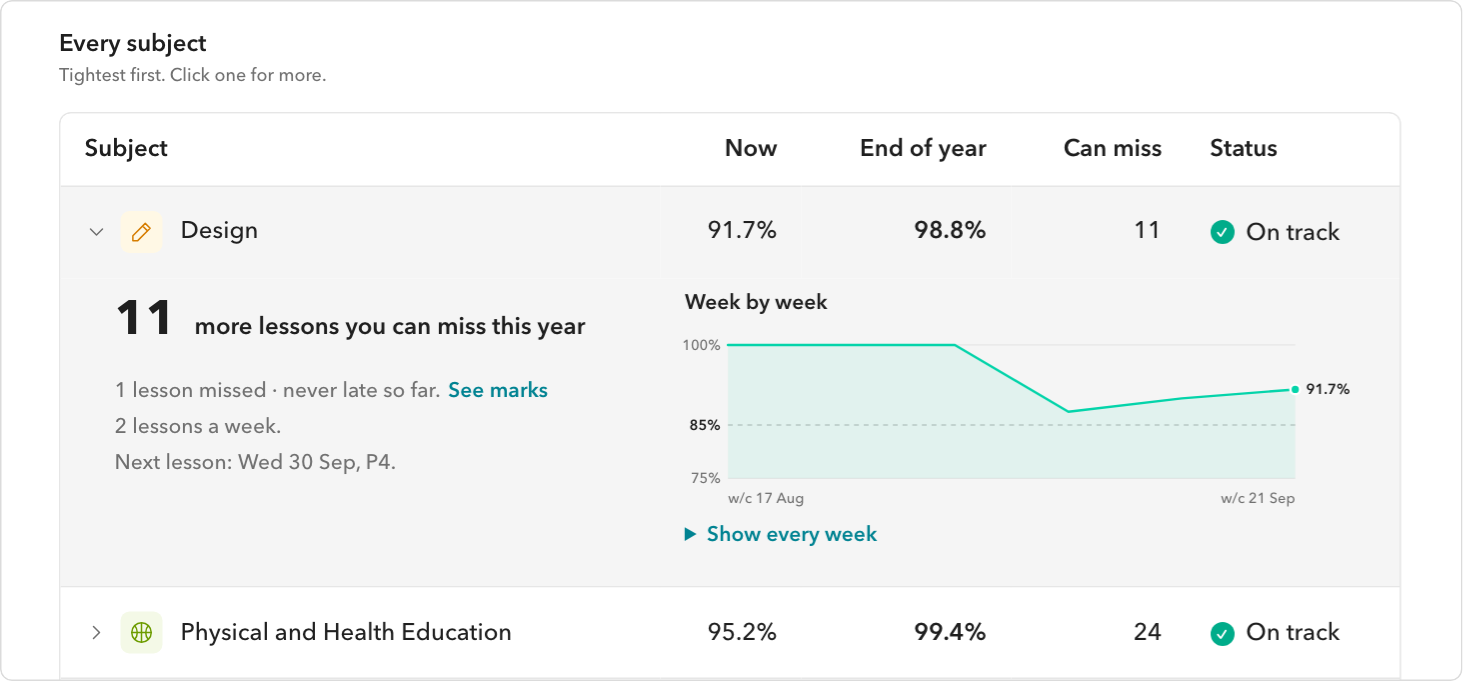
Where every subject stands, worked out from your real marks.
- Every subject now, and at the end of the year
- How many more lessons each can still miss
- A warning before a subject drops below the line
A quality-of-life extension for Toddle with over 30 features. Made by students, for students.

Free for Chrome and every Chromium browser: Edge, Brave, Arc, Opera and more. Unofficial; not made by Toddle.
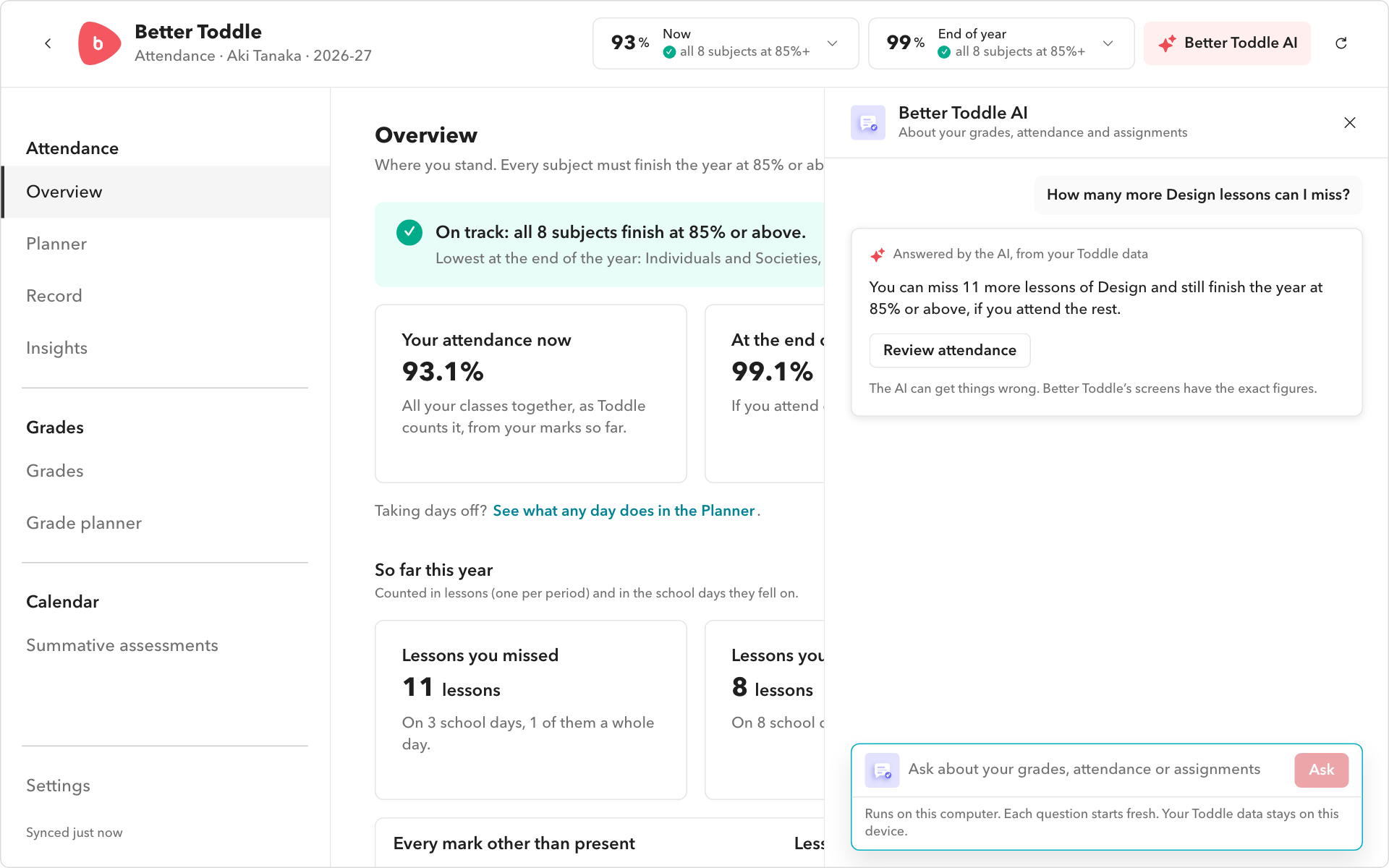
Your attendance, your grades, your timetable, the assignment you have open. Ask in your own words, and get an answer worked out from your real Toddle data.
Examples with a made-up student.
Where every subject stands, worked out from your real marks.
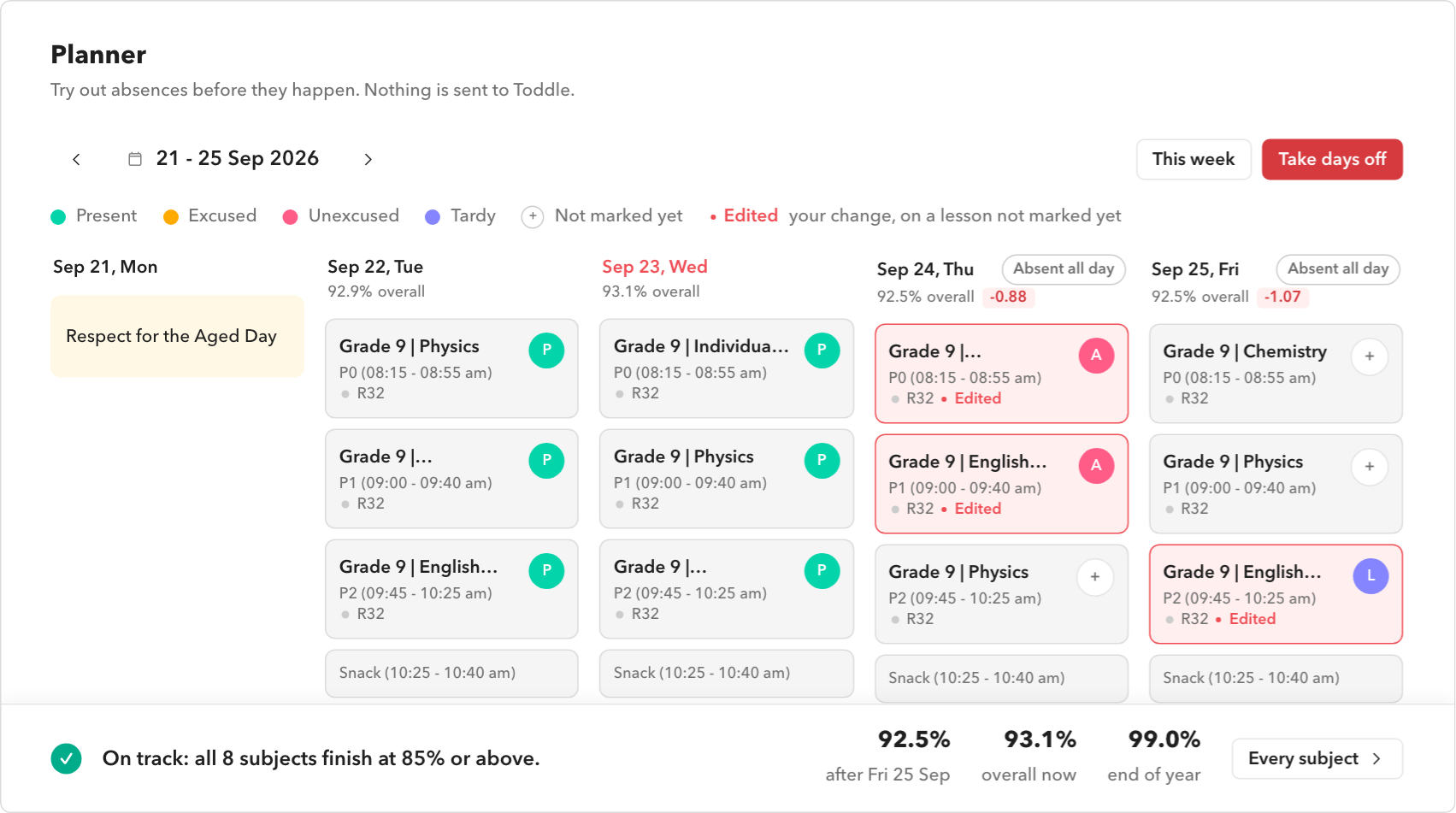
Try out a day off before you take it.
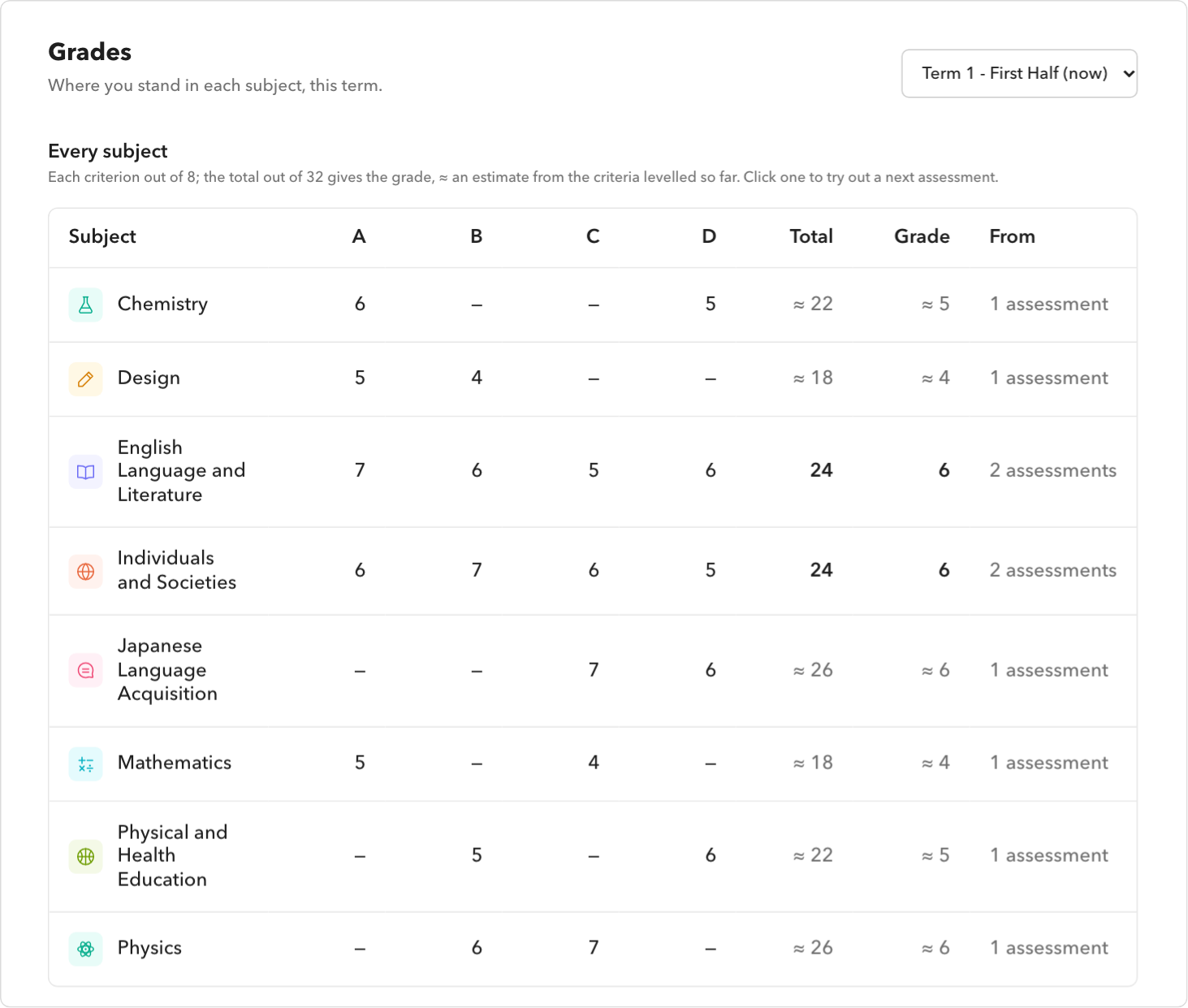
Your MYP levels, totals and grades for each term.
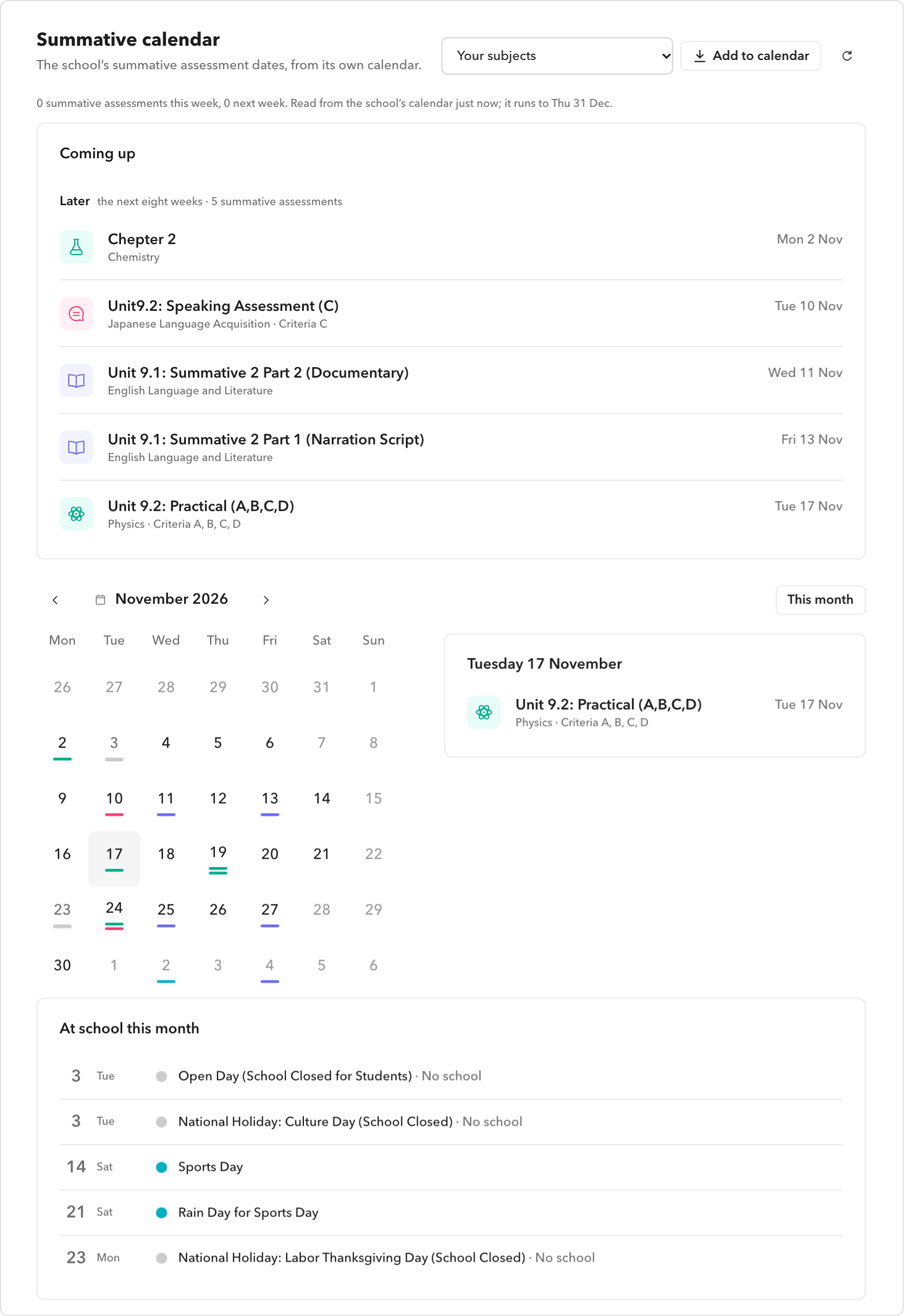
Every summative assessment in your subjects.
Ask about your school work in your own words.
The toolbar button holds where you stand and every tool.
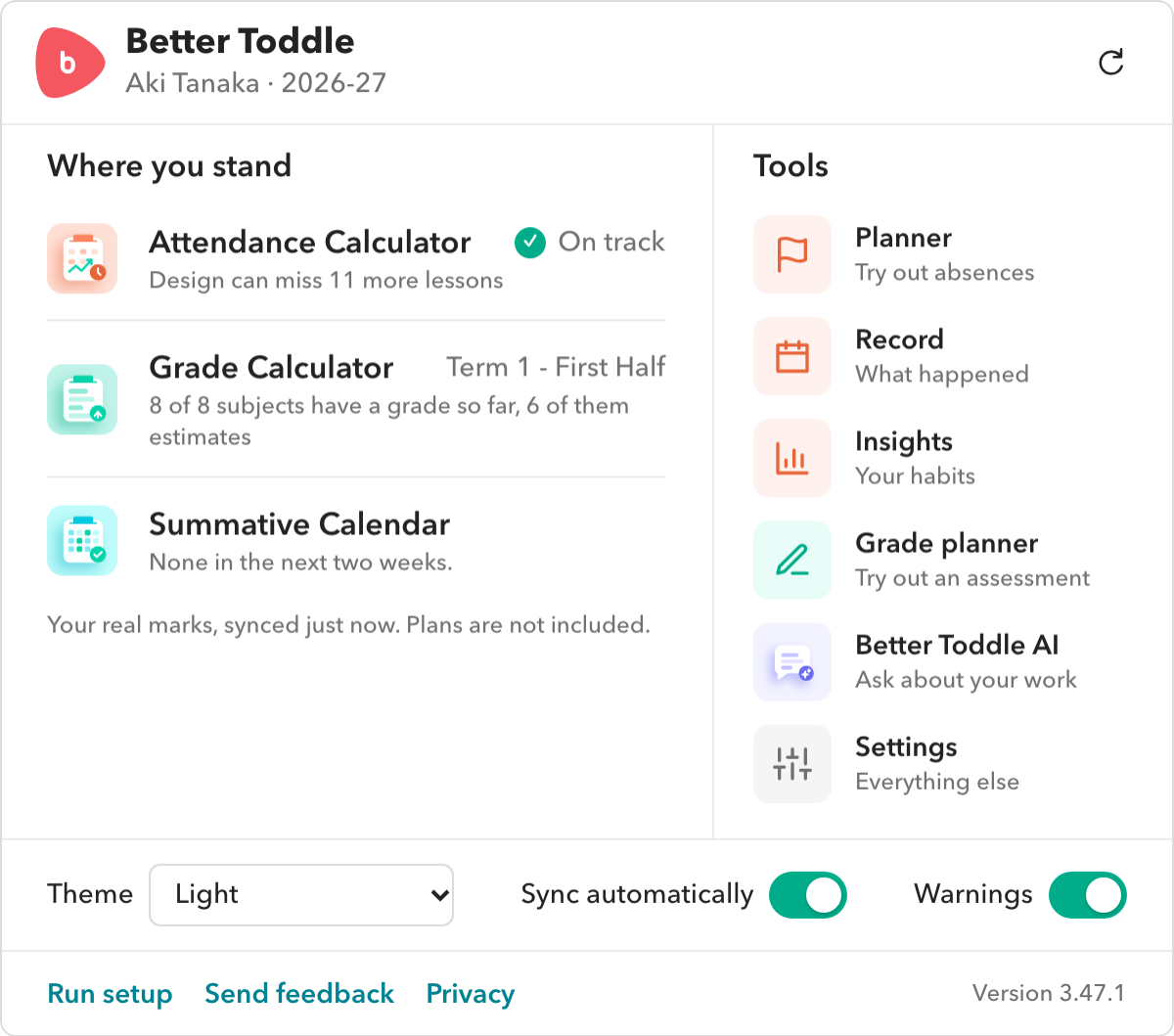
Attendance Calculator · Every subject, tightest first · Planner · Take days off and 6 more
Grade Calculator · Every assessment · Grade planner · Aim for a grade and 1 more
Summative Calendar · This week on the home screen · A count on the tile · Reminders and 5 more
Dark mode · Notification search · Summative assessments in notifications · Calculator tiles and 2 more
Ask in your own words · What-ifs, worked out · Simplify instructions · Answers that open Toddle and 1 more
Toolbar popup · First-run setup · Searchable settings · Back up everything and 2 more
Better Toddle has no server of its own. It reads Toddle with the sign-in you already have, keeps what it reads in your browser, and never sends it anywhere: not to us, not to an AI company, not to anyone.
There is nothing to sign up for, and no Better Toddle server to send anything to.
Every request to Toddle is checked before it is sent: it can only read, never change anything.
Questions are answered on your own computer, never by an online AI service.
No analytics, tracking or ads. We never see your marks, grades or questions.
Switch any feature off, back up your data, or clear it, in Settings.
Removing the extension removes everything it stored.
No. It is an unofficial extension, made by students. It is not affiliated with or endorsed by Toddle.
Better Toddle only reads what you can already see when you sign in to Toddle, with your own sign-in, and it never changes anything there. If your school has rules about browser extensions, those still apply.
Attendance, the Planner, deadlines, notifications and dark mode work at any school on Toddle. The grade tools appear for the MYP. The Summative Calendar connects to one school’s calendar; other schools can import their own dates.
Your attendance, timetable, grades and assignments, read from Toddle with your sign-in. Everything stays in your browser on your computer. There is no Better Toddle server, account, advert or tracking.
No. It runs on your computer: Chrome’s built-in AI where Chrome offers it, or a model downloaded once (about 1 GB) and kept on your computer.
No. It is read-only. Plans you try out in the Planner and the Grade planner stay on your computer and are never sent to Toddle.
Remove it from your browser’s extensions page. Everything it stored goes with it.
Better Toddle is in the Chrome Web Store. It works in Chrome and every Chromium browser on a computer: Edge, Brave, Arc, Opera and more.
An idea, a question, or something that looks wrong? We read every email.