Ask about your school work in your own words.
Better Toddle AI answers from your real Toddle data, on your own computer: your attendance, grades, timetable and the assignment you have open.

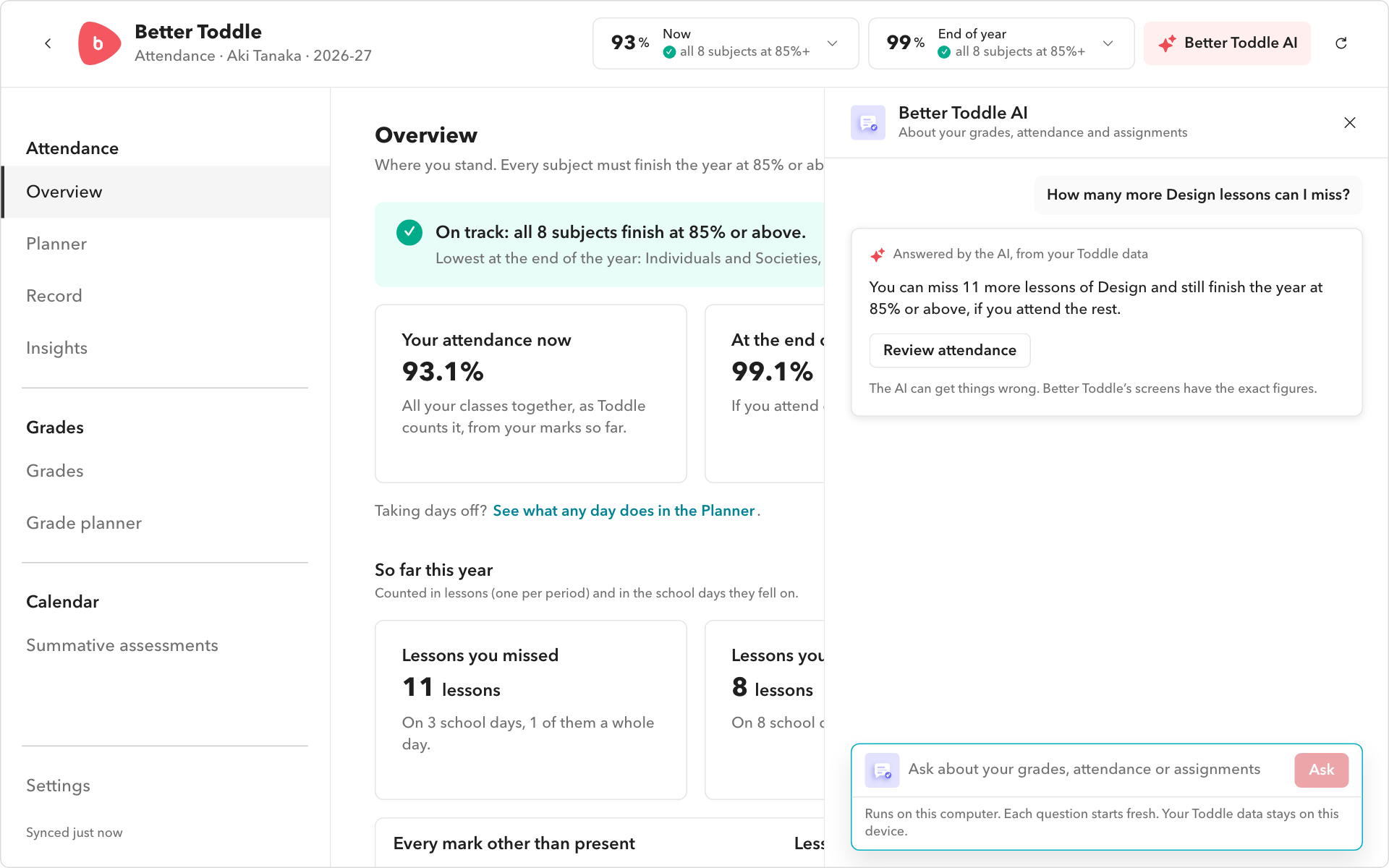
In your own words
Ask about attendance, grades, your timetable and the assignment you have open.
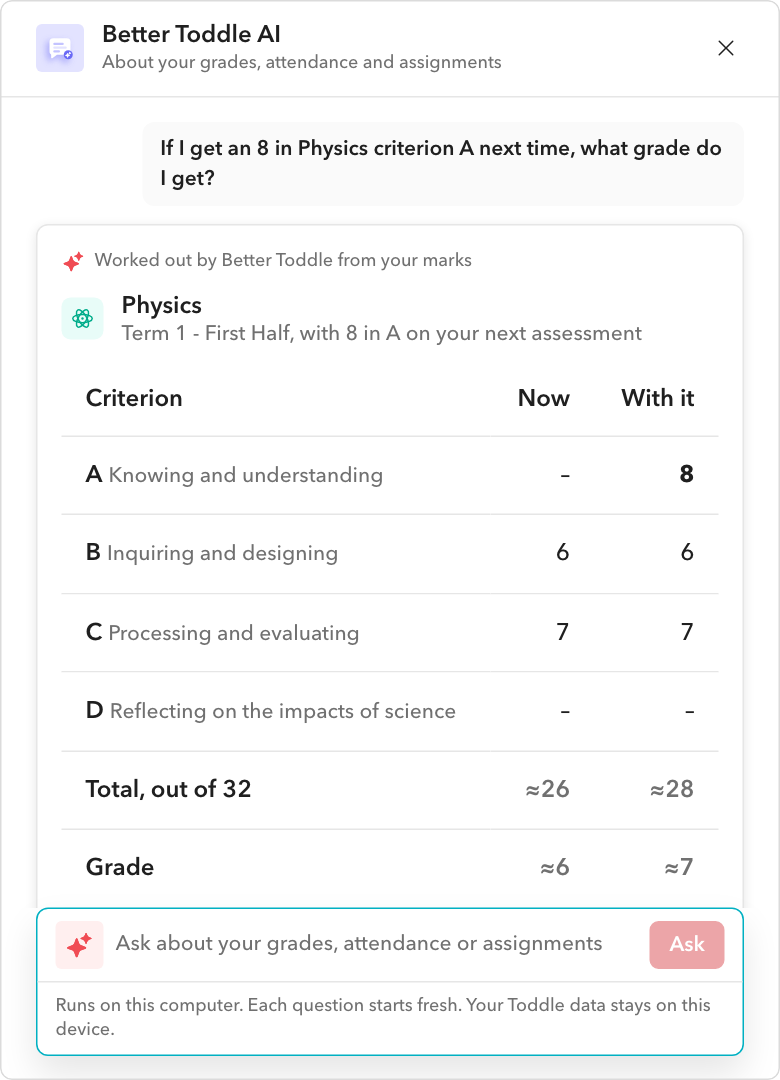
Figures worked out, not guessed
What-ifs come from Better Toddle’s own calculations on your marks.
Simplify instructions
Long instructions as a short checklist, with the deadline.
On your computer
Chrome’s built-in AI, or a model downloaded once. Nothing goes to an online AI service.
Attendance what-ifs
What an absence, a late arrival or leaving early would do to the end of the year, worked out from your real marks.
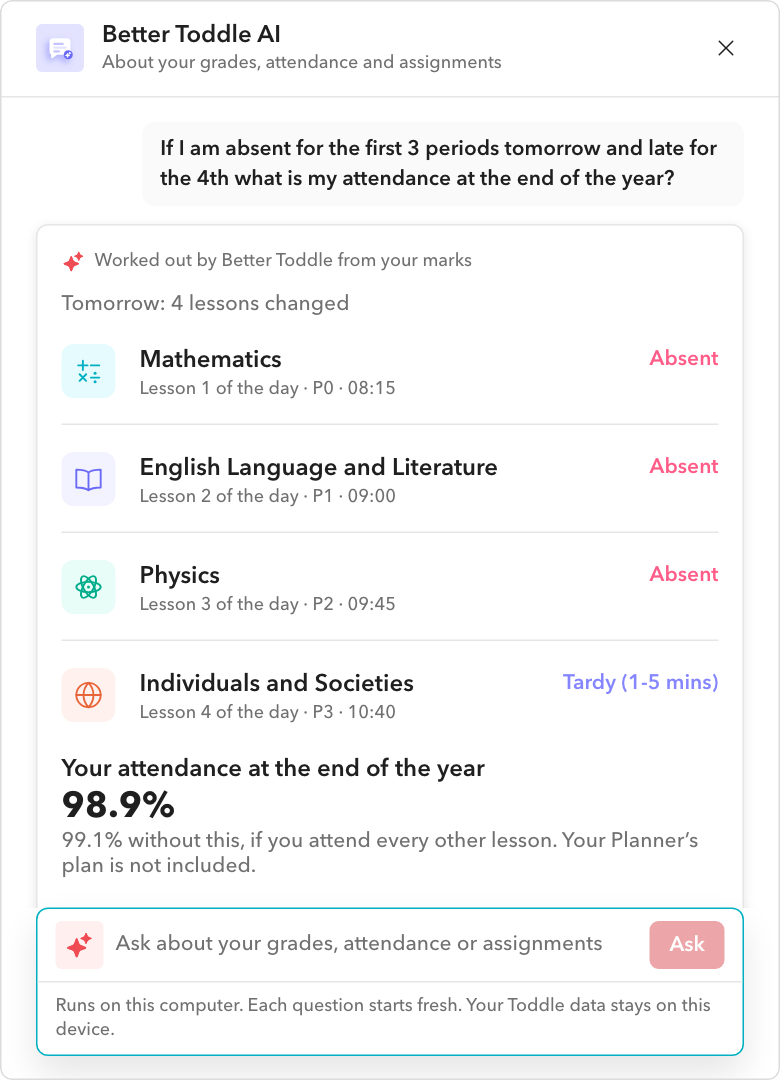
Ask about anything at school
The questions it answers best.
Grade what-ifs
What a level on your next assessment does to your total and your MYP grade.
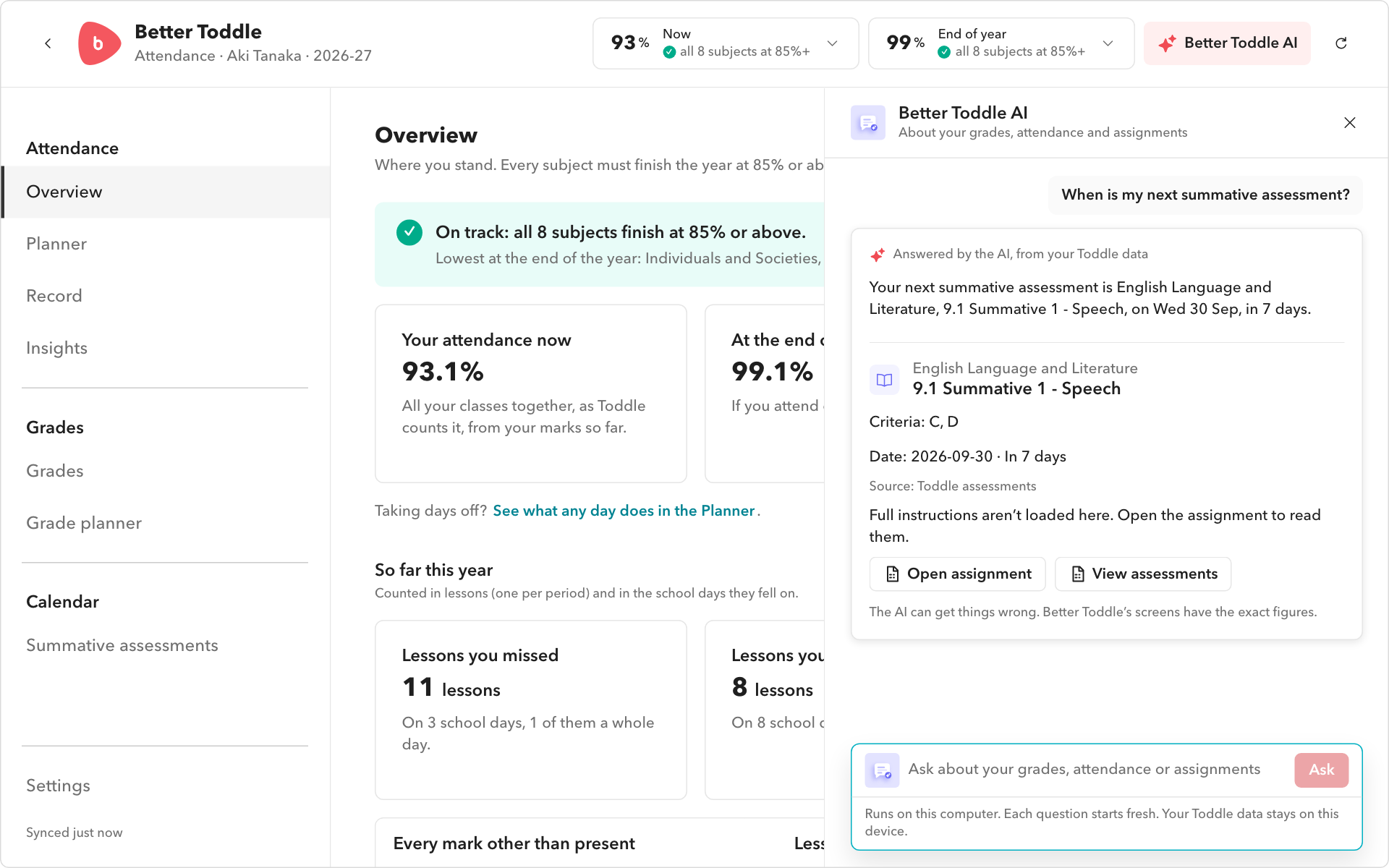
Answers that open Toddle
An answer about an assignment opens it in Toddle, in one click.
Private, on your computer
There is no key, no account and nothing sent to an AI company.
More of Better Toddle
Attendance Calculator
Where every subject stands, worked out from your real marks.
Planner
Try out a day off before you take it.
Grade Calculator
Your MYP levels, totals and grades for each term.
Summative Calendar
Every summative assessment in your subjects.
Everything in one click
The toolbar button holds where you stand and every tool.
Every feature
All 41 of them, by what they are for.
Frequently asked questions
Do I need an account or a key?
No. There is nothing to sign up for.
How big is the download?
About 1 GB, once, and only when Chrome’s built-in AI is not available. It needs WebGPU.
Can it be wrong?
Its explanations can. What-if figures are worked out by Better Toddle itself, and each answer says which it is.
Try it with your own Toddle.
Free, read-only, and everything stays on your computer.