Everything in one click.
The toolbar button shows where you stand, opens every tool, and holds the main settings.

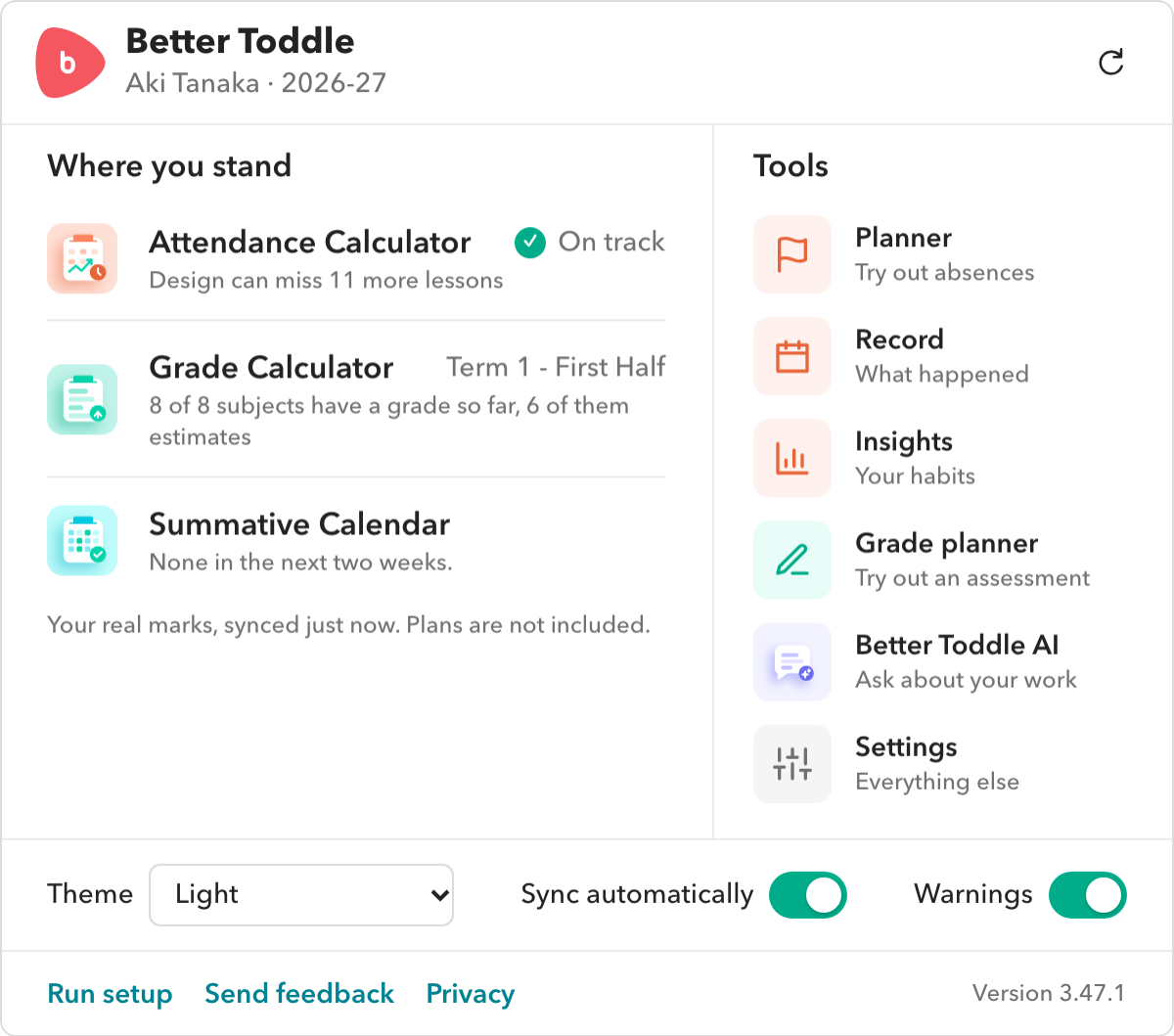
Where you stand
Attendance, grades and what is coming up, at a glance.
Every tool
The Planner, Record, Insights, Grade planner and Better Toddle AI, one click away.
Quick settings
The theme, automatic sync and warnings, in one row.
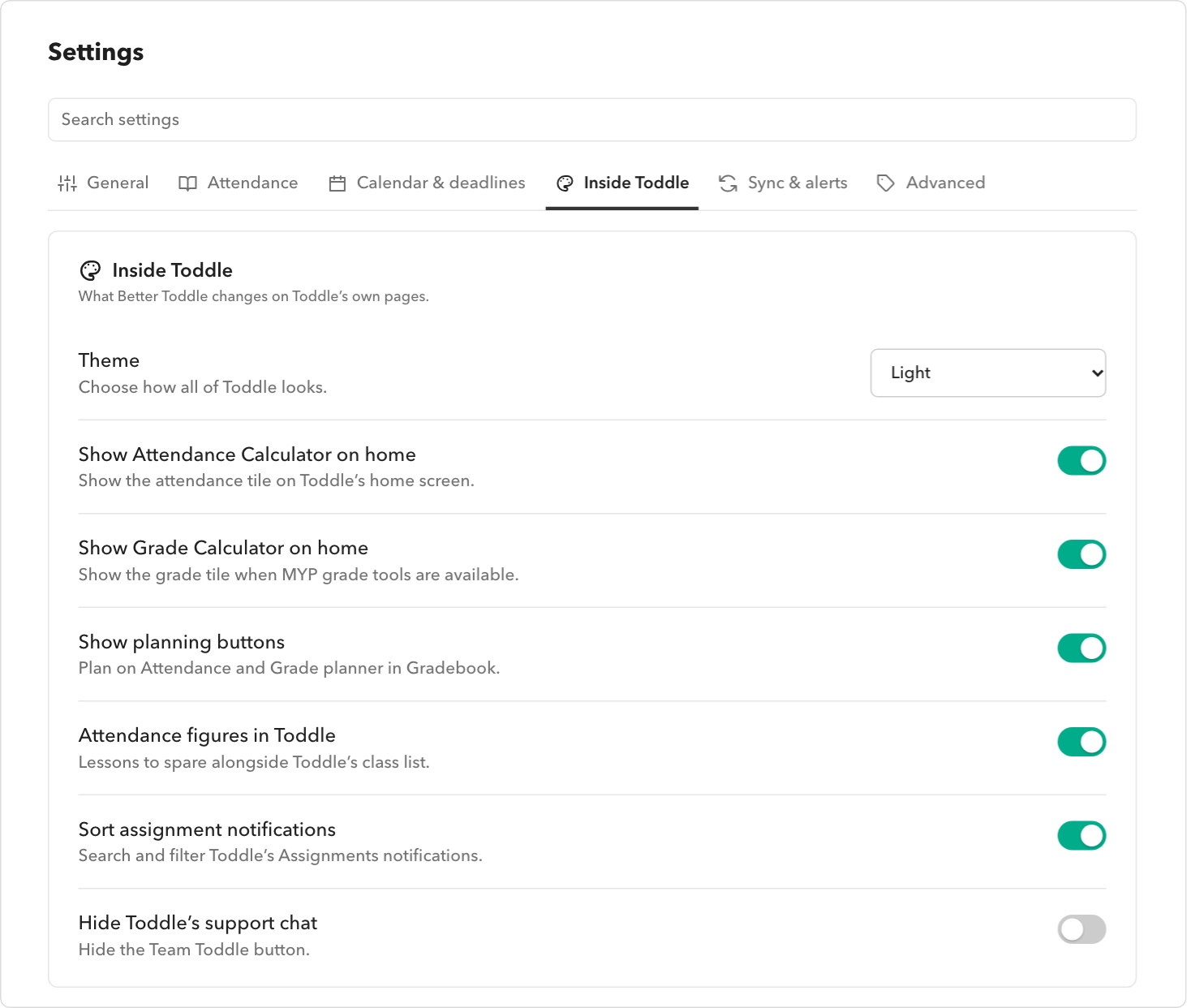
Settings you can search
Every setting grouped by the feature it belongs to.
Every tool, one click away
From the toolbar button, on any page.
Settings, by feature
Six categories, each holding one feature’s switch and its options, with a search across them all.
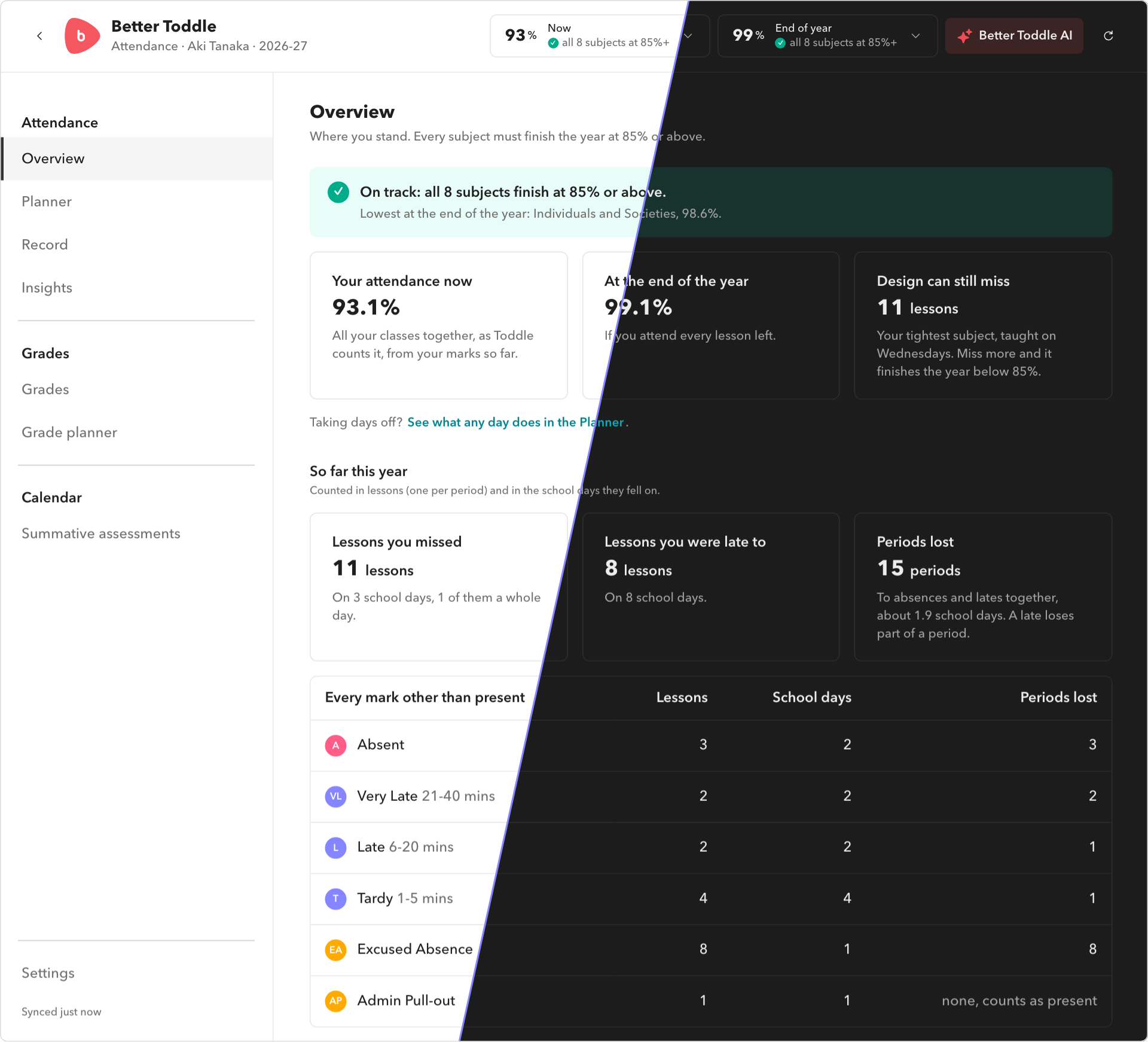
Dark mode, for all of Toddle
Light, dark, or the same as your computer: all of Toddle, not only Better Toddle.
More of Better Toddle
Attendance Calculator
Where every subject stands, worked out from your real marks.
Planner
Try out a day off before you take it.
Grade Calculator
Your MYP levels, totals and grades for each term.
Summative Calendar
Every summative assessment in your subjects.
Better Toddle AI
Ask about your school work in your own words.
Every feature
All 41 of them, by what they are for.
Frequently asked questions
Where is the button?
In your browser’s toolbar. Pin it from the extensions menu so it is always there.
Try it with your own Toddle.
Free, read-only, and everything stays on your computer.